Elevate Your Culinary Visuals with Food Photography Overlays - Set 2
In the competitive world of food blogging, culinary magazines, and restaurant marketing, the difference between a scroll-past image and a mouth-watering masterpiece often lies in the details. You have captured the perfect shot of a decadent chocolate cake or a vibrant fruit tart, but something feels slightly missing. The lighting is good, the composition is solid, yet the image lacks that final layer of polish that makes it feel professional and inviting. This is where Food Photography Overlays - Set 2 becomes an indispensable resource for creators looking to refine their visual storytelling.
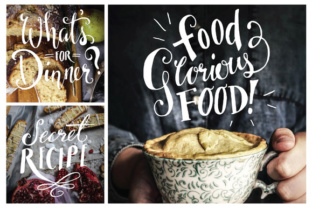
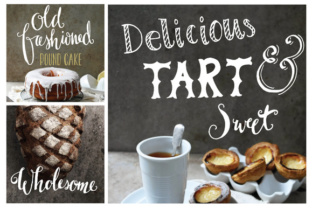
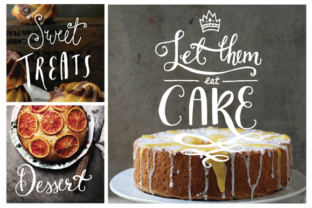
This collection is specifically designed to address the common challenge of static food imagery. Many photographers and designers struggle to add texture, depth, and thematic consistency without spending hours in post-production or needing advanced illustration skills. Food Photography Overlays - Set 2 offers a solution-focused approach, providing a suite of yummy dessert-themed elements that can instantly spruce up your food photography, decorate your blog headers, or enhance a magazine layout. By simply placing these PNG images over your photograph or background, you transform a standard snapshot into a styled editorial piece.
Overcoming Common Visual Challenges
Every food creator faces unique hurdles. For bloggers, the pressure to produce fresh, engaging content daily can lead to burnout when trying to style every single shot from scratch. Magazine editors often need to fill white space in layouts without distracting from the main recipe or article. Social media managers need eye-catching graphics that stop the scroll within seconds. The primary goal here is efficiency without sacrificing quality.
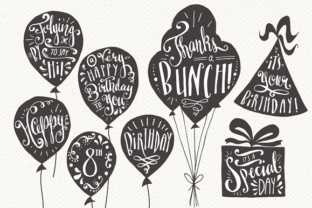
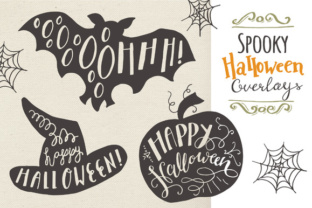
Traditional methods of adding decorative elements involve complex masking, hand-drawing, or searching for low-quality clipart that pixelates upon resizing. Food Photography Overlays - Set 2 eliminates these friction points. The set includes 144 PNG files, offering 12 distinct overlay designs available in both small and large sizes. Crucially, these come in six versatile colors: black, white, gray, aqua, blush, and sunshine. This variety ensures that regardless of your brand palette or the specific tone of your dessert photo, there is a matching element ready to deploy. All files are rendered at 300dpi, ensuring crisp, print-ready quality for magazines and cookbooks, while remaining perfectly optimized for digital screens.
Practical Applications for Diverse Users
The versatility of this set means it serves different users in distinct ways. A home baker running an Instagram account might use the "blush" colored overlays to add a soft, romantic frame around a macaron photo, creating a cohesive aesthetic that encourages followers to engage. In contrast, a graphic designer working on a high-end restaurant menu might utilize the "black" or "gray" vector versions to create subtle, elegant dividers between sections, maintaining a sophisticated look.
For those managing a food blog, the applications are endless. You can use the overlays as watermarks to protect your intellectual property while adding a decorative touch. They serve excellently as background textures for quote cards or recipe summaries. Because the set includes yummy dessert themed photo overlays, they naturally complement images of cakes, cookies, pastries, and ice cream, reinforcing the subject matter without overpowering it.
Customization and Control
One of the most significant advantages of Food Photography Overlays - Set 2 is the level of control it offers. While the PNG files are ready to drop and go, the inclusion of layered PSD files takes customization to the next level. The set contains 11 fully layered .PSD files with transparent backgrounds. This allows users with Adobe Photoshop to adjust opacity, blend modes, and individual element positions. If the "sunshine" yellow is too bright for a moody, dark-chocolate themed post, you can easily tweak the hue or saturation within the layered file to match your specific lighting conditions.
Furthermore, the set caters to vector enthusiasts and those who need infinite scalability. Included are fully editable vector files organized and labeled for ease of use. You receive one AI CS1 file, meaning all elements are editable in Illustrator CS1 and above, and one EPS file compatible with most vector graphics programs. This is vital for large-format printing, such as billboard ads or trade show banners, where raster images might lose clarity. With vectors, you can resize a decorative swirl from a business card size to a wall mural without any loss of quality.
Streamlining Workflow with Brushes
Speed is often the most valuable currency for content creators. To further enhance usability, Food Photography Overlays - Set 2 includes a dedicated ABR Photoshop brush set containing all 12 elements. This feature allows you to "stamp" these decorative guys onto anything with a single click. Instead of opening a new file, copying an element, pasting it, and resizing it, you can simply select the brush and paint the overlay directly onto your canvas. This is particularly useful for creating collages, adding scattered decorative accents across a spread, or quickly mocking up design concepts. A PDF with brush installation instructions is also included to ensure a smooth setup process, even for those less familiar with Photoshop technicalities.
Implementation Strategies for Best Results
To get the most out of these resources, consider the context of your final output. If you are designing for a mobile-first audience, remember that intricate details might get lost on small screens; in this case, using the larger PNG sizes or the bold brush strokes works best. For print layouts, leverage the 300dpi resolution and vector capabilities to ensure sharp edges.
Color theory plays a pivotal role in how these overlays are perceived. The "aqua" and "blush" tones offer a modern, trendy vibe suitable for spring recipes or light desserts like meringues and fruit salads. Conversely, the black, white, and gray options provide a timeless, classic feel that works well for rich, indulgent treats or minimalist branding. Experimenting with blend modes in Photoshop—such as "Overlay," "Soft Light," or "Multiply"—can integrate these elements seamlessly into your existing photography, making them look like part of the original scene rather than an afterthought.
Ultimately, Food Photography Overlays - Set 2 is more than just a collection of clipart; it is a toolkit for elevation. It bridges the gap between amateur snapshots and professional editorial spreads. Whether you are a seasoned graphic designer looking to speed up your workflow, a blogger aiming to beautify your site, or a marketer needing to create compelling ad creatives, this set provides the practical assets needed to succeed. By integrating these customizable, high-quality elements into your workflow, you ensure that your food photography not only looks delicious but also tells a compelling visual story that resonates with your audience.