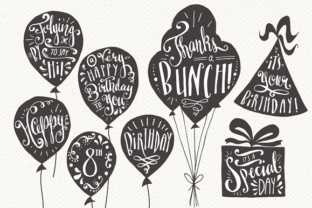
Elevate Your Designs with Hand-Drawn Greeting Card Overlays
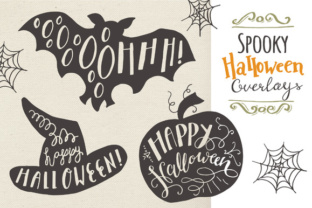
We have all been there. You have a beautiful photograph from a family vacation, a milestone birthday party, or a quiet moment with a new baby, but it feels like something is missing when you try to turn it into a card or a social media post. The image is great, but the sentiment isn't landing. This is where Greeting Card Overlays change the game. Specifically, we are talking about those hand-drawn silhouette sets paired with hand-lettered messages that bridge the gap between a standard digital photo and a heartfelt, custom-made keepsake.
These aren't just clipart; they are design shortcuts for people who want professional-looking results without needing a degree in graphic design. Imagine having a library of black, charcoal, and white silhouettes featuring sweet messages, ready to be dropped over your images. Whether you are a small business owner selling handmade goods, a blogger documenting life milestones, or a parent creating scrapbook pages, these tools offer a practical solution to the "blank canvas" problem.
Why Hand-Lettered Silhouettes Work Better Than Standard Text
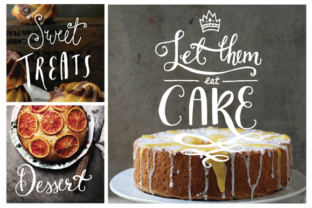
In a world saturated with perfect, computer-generated fonts, there is a growing appreciation for the imperfect, human touch. Hand-lettered greeting messages convey warmth and authenticity that Times New Roman or Arial simply cannot match. When you use a set of Greeting Card Overlays that feature hand-drawn elements, you are instantly adding a layer of personality to your project.
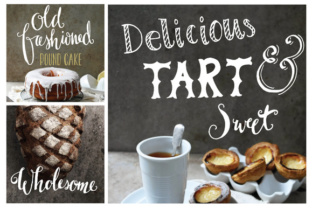
The beauty of these specific overlays lies in their versatility. They typically come in high-resolution formats like 300dpi PNGs, which means they look crisp whether printed on heavy cardstock or viewed on a retina display. The inclusion of different color variations—such as black with white lettering, charcoal with white lettering, and white with black lettering—allows you to adapt the overlay to the lighting and tone of your underlying photograph. If your photo is dark and moody, the white-on-black version ensures readability. If the image is bright and airy, the black silhouette provides necessary contrast.
Real-World Applications for Creators and Hobbyists
So, where do these files actually fit into your workflow? The applications are far broader than just sending a birthday card through the mail. Let's look at how different users leverage these assets in real scenarios.
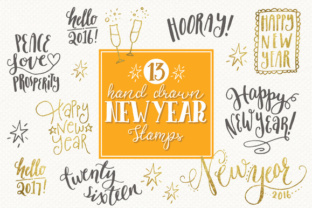
- The Small Business Owner: Imagine you run an Etsy shop selling custom mugs or tote bags. You need product mockups that show off the design potential without hiring a photographer for every single variation. By using the stamp versions with transparent lettering, you can overlay a "Happy Birthday" or "Congratulations" message onto a photo of a blank mug. This allows you to create endless marketing visuals for Instagram or your website in minutes, showcasing customization options to potential buyers.
- The Digital Scrapbooker: For those preserving family memories, consistency is key. Using the layered PSD files, you can take a series of photos from a child's first year and apply a uniform style of hand-lettered dates and milestones. Because the files are organized and labeled, you aren't wasting hours searching for the right element. You simply drag, drop, and adjust the transparency to blend the silhouette naturally with the background texture of your digital page.
- The Social Media Manager: Content calendars require a constant stream of fresh graphics. Instead of designing a new graphic from scratch for every holiday or client announcement, you can use the vector files to quickly generate branded greetings. The ability to edit colors in Illustrator means you can match the overlay exactly to a brand's hex codes, ensuring professional consistency across all platforms.
- The Educator and Parent: Creating certificates for students or special notes for a child's lunchbox becomes a fun creative activity rather than a chore. The brush sets included in these packages allow you to "stamp" these designs directly onto digital documents or printables, adding a whimsical touch that engages kids and adds a personal flair to classroom materials.
Technical Flexibility: From PNGs to Vectors
One of the most significant advantages of investing in a comprehensive Greeting Card Overlays bundle is the range of file formats provided. It is not just about having the image; it is about having control over the final output.
For the casual user or someone working strictly in Photoshop, the 136 PNG files included in a typical set are a lifesaver. These are ready-to-use assets. You don't need to know how to mask or blend; you just place the layer on top. The inclusion of both small and large sizes for numbers and stamps means you have scalability built-in. Need a tiny "25" for a corner detail? It's there. Need a massive "50" for a centerpiece? That's included too.
However, for the power user, the value skyrockets with the inclusion of vector files (AI and EPS). Vectors are resolution-independent, meaning you can scale a design from the size of a business card to a billboard without losing any quality. If you are a freelancer creating print collateral for a client, this is non-negotiable. Being able to open the file in Illustrator CS1 or above and tweak the anchor points of a hand-drawn swirl or change the curvature of a letter gives you total creative freedom. You aren't stuck with the artist's original interpretation; you can make it your own.
Furthermore, the Photoshop brushes (.ABR files) add another dimension of utility. Instead of placing a static image, you can paint the design onto a textured background, allowing the grain of the paper or the canvas to show through the ink. This creates a truly organic look that mimics traditional stamping or painting, perfect for projects aiming for a vintage or artisanal aesthetic.
What to Consider Before You Start
While these tools are incredibly user-friendly, getting the best result requires a bit of forethought. Before you download or purchase a set, consider the context in which you will be using them.
Contrast and Readability: The most common mistake when using overlays is ignoring the background image. A white silhouette will vanish against a snowy landscape or a light-colored wall. Always preview the overlay against your specific photo. Most software allows you to lower the opacity of the overlay layer; sometimes, dialing it back to 85% or 90% helps the design feel integrated rather than pasted on top.
Licensing and Commercial Use: If you are an entrepreneur planning to sell products featuring these designs, always check the license agreement. While many bundles allow for commercial use on physical end-products (like printed cards or t-shirts), restrictions often apply to reselling the digital files themselves or using them in logos. Understanding these boundaries protects your business from legal headaches down the road.
File Organization: A set containing hundreds of files can quickly become overwhelming if not managed well. Take the time immediately after downloading to organize the folders. Separate your PNGs, PSDs, Vectors, and Brushes into distinct directories. Since these sets often include fully layered PSD files with transparent backgrounds, knowing exactly which file contains the editable text layers versus the flat composite images will save you hours of frustration during a tight deadline.
The Emotional Impact of Custom Design
Ultimately, the goal of using Greeting Card Overlays is to enhance connection. In an era of mass-produced, store-bought cards with generic sentiments, a custom-designed message carries significantly more weight. When a recipient sees a card where the typography and imagery have been carefully selected and layered to match a specific memory, they feel seen and valued.
Whether you are crafting a wedding invitation suite, designing a year-end holiday newsletter for your company, or making a simple thank-you note for a neighbor, these hand-drawn elements provide the artistic foundation you need. They remove the technical barrier of drawing by hand while retaining the soul of handcrafted art. By leveraging the diverse formats—from easy-to-use stamps to fully editable vectors—you empower yourself to create meaningful visual communications that resonate with your audience, one personalized overlay at a time.