Transforming Digital Art with Massive Watercolor Stroke Collections
Digital art has evolved significantly over the last decade, moving from rigid, pixel-perfect vectors to fluid, organic textures that mimic traditional media. Among the most sought-after tools for achieving this authentic look are high-quality brush sets. Specifically, the Photoshop Brushes Watercolor Strokes with Bonus collection stands out as a comprehensive resource for designers and illustrators who need immediate, professional-grade texture without the mess of physical paint. This isn't just a small pack of basic tips; it is a substantial library designed to integrate seamlessly into modern creative workflows.
When artists search for digital watercolor tools, they often face a common frustration: brushes that look repetitive or lack the subtle variation found in real wet-on-wet painting. The solution lies in using pre-rendered stroke assets combined with dynamic brush engines. This specific collection addresses that gap by offering a dual approach. It provides both functional .abr files for live painting and a massive library of static PNG images for compositing. Understanding how to leverage both aspects of this set can drastically reduce production time while elevating the visual quality of your projects.
The Power of Pre-Rendered Stroke Designs
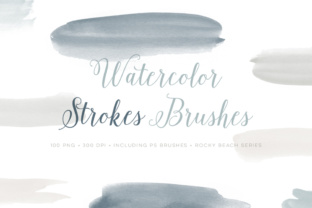
At the core of this package are 25 different paint stroke designs. What makes these particularly valuable is their scale. Many free brush sets offer tiny, low-resolution stamps that pixelate when scaled up for print or high-definition screens. In contrast, these strokes are sized "pretty big," ensuring that you can stretch, rotate, and manipulate them without losing crisp edge definition. This is crucial for large-format printing, such as posters, banners, or packaging design, where resolution issues can ruin an otherwise perfect piece.
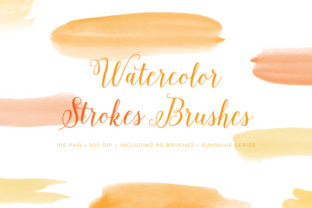
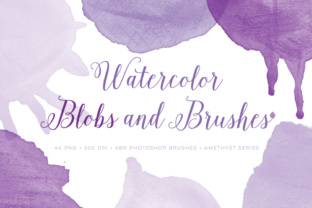
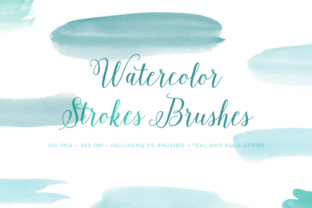
These 25 unique designs capture the erratic beauty of watercolor. You will find strokes that exhibit hard edges where the pigment has dried, soft blooms where water has pooled, and dry-brush textures that reveal the tooth of the paper. By having these distinct shapes ready to use, you bypass the tedious process of trying to recreate complex water behaviors manually with a standard round brush. Instead of spending twenty minutes building up a single splash effect, you can place a pre-made stroke, adjust its blending mode, and move on to the next element of your composition.
Versatility is further enhanced by the inclusion of these strokes in 4 different colors. While many artists prefer to work in grayscale and add color later via adjustment layers, having immediate access to varied hues allows for rapid prototyping. You can quickly test how a cyan splash interacts with a magenta background or see how a deep indigo stroke sits against a warm cream texture. This variety supports a faster iterative process, allowing designers to experiment with color palettes in real-time before committing to a final direction.
Unlocking the Bonus: 100 High-Resolution PNG Assets
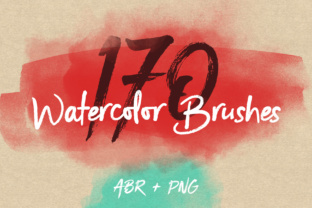
The true game-changer in this bundle is the bonus section. Included alongside the brush files is a huge set of 100 PNG images. These are not merely duplicates of the brush tips; they are fully rendered, transparent-background assets ready for drag-and-drop usage. For professionals working under tight deadlines, this is an invaluable time-saver. Imagine working on a wedding invitation suite or a branding project that requires delicate floral accents. Instead of painting each petal and leaf by hand, you can select from hundreds of pre-composed watercolor elements, place them into your document, and recolor them instantly using Photoshop's "Hue/Saturation" or "Color Overlay" layer styles.
The utility of these PNGs extends beyond illustration. In the world of web design and UI mockups, organic textures are increasingly popular for breaking up the monotony of flat design. These 100 images can serve as background overlays, decorative dividers, or accent pieces that add a human touch to digital interfaces. Because they are saved as PNGs with transparency, they integrate cleanly into any project file regardless of the background color or pattern underneath. This flexibility makes the Photoshop Brushes Watercolor Strokes with Bonus set applicable across a wide range of industries, from fashion editorial layouts to social media graphics.
Technical Compatibility and Workflow Integration
A major consideration for any digital artist is software compatibility. This set is thoughtfully packaged to accommodate a broad user base, including those on the latest subscriptions and those relying on older, perpetual licenses. The download includes 2 ABR files, ensuring that the brushes are ready to load immediately. One file is optimized for Adobe Photoshop CC, taking advantage of the newer engine capabilities for smoother pressure sensitivity and texture dynamics. The second file caters to CS versions, ensuring that users who have not upgraded to the cloud-based subscription model are not left behind.
It is important to note a specific technical limitation for users on the older CS versions: the brushes are limited to a maximum size of 2500 pixels. While this might seem restrictive compared to the virtually unlimited canvas sizes in CC, 2500 pixels is still more than sufficient for most web graphics, social media posts, and even moderate-sized print projects like flyers or business cards. For the vast majority of everyday design tasks, this resolution cap will likely go unnoticed. However, if your primary workflow involves creating massive billboards or museum-scale prints, sticking to the included 100 PNG files (which generally maintain their original high resolution) or upgrading to CC would be the recommended path.
Integrating these tools into your workflow is straightforward. Once the ABR files are loaded via the Brush Preset manager, you can begin painting immediately. The smart object potential here is significant. You can create a library of your favorite combinations from the 100 PNGs, save them as Smart Objects, and reuse them across multiple projects. This creates a personalized asset library that grows with your style. Furthermore, because the strokes are distinct and high-quality, they respond well to transformation tools. You can warp, liquify, or distort them to fit specific contours in your artwork, something that lower-quality brushes often fail to support without looking artificial.
Practical Applications for Modern Creatives
The applications for such a robust set of watercolor assets are nearly endless. Consider the realm of product mockups. When presenting a logo design on a textured background, a simple flat color often looks sterile. Adding a few of these watercolor strokes behind the logo can create depth and context, making the presentation feel more tangible and premium. Similarly, in book cover design, where standing out on a thumbnail is critical, the organic chaos of watercolor strokes can draw the eye more effectively than geometric shapes.
Educators and content creators also benefit immensely from these resources. Creating engaging slides for presentations or thumbnails for educational videos often requires visual interest that doesn't distract from the text. The soft, diffused edges of watercolor provide the perfect balance of texture and subtlety. You can frame titles with a gentle wash of color or use the strokes to highlight key points without the harshness of a solid rectangle. The variety within the 25 designs ensures that you won't fall into the trap of using the same visual motif repeatedly, keeping your content fresh and visually stimulating.
For hobbyists and aspiring artists, this collection serves as an excellent learning tool. By studying the 100 PNG images, beginners can analyze how professional watercolor effects are constructed. They can observe how colors bleed into one another, how opacity varies within a single stroke, and how negative space is utilized. Attempting to replicate these effects using the included brushes helps build muscle memory and an understanding of digital pressure sensitivity. It bridges the gap between traditional artistic intuition and digital execution.
Making the Choice: Why Quality Matters
When evaluating whether to adopt a new asset pack, the volume of content is often the first metric people check. With 100 PNG files and 25 unique brush designs in multiple colors, this set offers undeniable value. However, quantity means little without quality. The defining characteristic of this collection is the fidelity of the textures. Real watercolor is unpredictable; it granulates, it pools, and it dries unevenly. Cheap digital brushes often look too uniform, repeating the same pattern endlessly. The diversity in this set mimics that natural randomness, preventing the "stamped" look that plagues amateur digital art.
Another factor to consider is the efficiency gain. Time is the most scarce resource for any creative professional. If a set of tools can cut your texturing time in half, it pays for itself almost immediately. The ability to drag and drop a high-res PNG or apply a complex stroke with a single click allows you to focus more on composition, lighting, and storytelling—the elements that truly make a piece of art resonate. The Photoshop Brushes Watercolor Strokes with Bonus package is not just a collection of files; it is a productivity multiplier.
In conclusion, whether you are a seasoned graphic designer looking to expand your textural vocabulary, an illustrator seeking to streamline your painting process, or a student wanting to learn the nuances of digital watercolor, this collection provides a robust foundation. The combination of versatile brush engines for active painting and a massive library of static assets for compositing covers every stage of the creative process. With compatibility spanning both modern and legacy versions of Photoshop, it remains an accessible and powerful addition to any digital artist's toolkit. Embracing these tools allows you to bring the timeless elegance of watercolor into the infinite possibilities of the digital canvas.