Mastering Digital Art with Professional Watercolour Paint Photoshop Brushes
Digital artists often face a significant hurdle when transitioning from traditional media to digital platforms: the loss of organic texture and unpredictability. While software offers precision, it can sometimes feel sterile or overly polished. This is where Watercolour Paint Photoshop Brushes become an essential tool in your creative arsenal. By integrating these specialized tools into your workflow, you can replicate the fluidity, transparency, and granular texture of real water-based pigments without the mess, drying time, or cost of physical supplies.
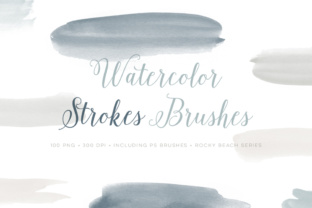
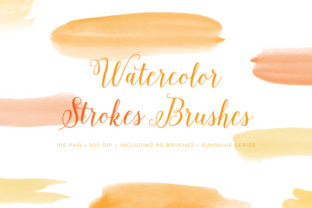
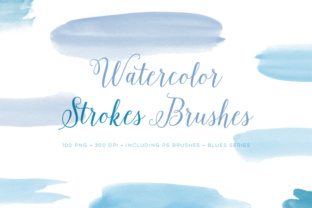
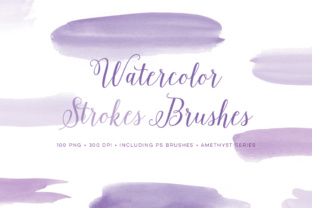
The specific collection we are exploring today addresses a common pain point for illustrators and designers: the need for variety and scale. Many free or low-quality brush sets offer repetitive strokes that look artificial when layered. In contrast, a comprehensive set featuring 25 different paint stroke designs sized significantly large provides the diversity needed to create complex, lifelike artwork. Furthermore, the inclusion of a bonus set of 100 PNG images covering those 25 strokes in four distinct colors eliminates the tedious task of manually colorizing every element, allowing you to focus entirely on composition and storytelling.
Overcoming the "Digital Look" Challenge
One of the primary goals for any digital painter is to evoke emotion through texture. Viewers subconsciously respond to the imperfections found in traditional media—the way pigment pools at the edge of a wet patch, or how dry brush strokes reveal the tooth of the paper. Without the right tools, digital art can suffer from a uniform smoothness that lacks soul.
Watercolour Paint Photoshop Brushes solve this by embedding complex texture maps and opacity dynamics directly into the brush tip. When you apply a stroke, the software mimics the behavior of water interacting with paper. This helps address several specific needs:
- Speed and Efficiency: Instead of spending hours creating custom textures or scanning real paint, you have instant access to high-fidelity strokes.
- Non-Destructive Editing: Unlike real paint, digital strokes can be undone, resized, and adjusted without ruining the underlying canvas.
- Consistency: You can maintain a cohesive style across a large project, such as a storybook or a series of marketing assets, ensuring every element feels part of the same world.
The challenge often lies in finding a set that is versatile enough for both broad washes and fine details. A set limited to small pixel dimensions will degrade quickly when used for large-format prints or high-resolution displays. This is why the specification of "sized pretty big" is critical. Large source images for brush tips ensure that even when stamped repeatedly or scaled up, the edges remain crisp and the texture remains detailed.
Practical Applications and Workflow Integration
Understanding how to implement these tools effectively can transform your output. Whether you are a concept artist, a graphic designer, or a hobbyist, the application of Watercolour Paint Photoshop Brushes varies based on your end goal.
For Illustrators and Concept Artists
If your goal is to create atmospheric environments or character concepts, the 25 unique stroke designs allow for rapid blocking and detailing. You can use the broader strokes to lay down a mood sky or a forest background, then switch to more defined edges for foreground elements. The availability of these brushes in both CC (Creative Cloud) and CS versions ensures compatibility regardless of your software subscription status. However, users on older CS versions should note a technical limitation: the maximum size is capped at 2500 pixels. For most web graphics and standard print work, this is sufficient, but those working on massive billboards may need to tile the strokes or use the included PNGs for greater flexibility.
For Graphic Designers and Marketers
In commercial design, the trend toward "hand-crafted" aesthetics is strong. Brands often seek logos and packaging that feel artisanal rather than corporate. The bonus set of 100 PNG files is particularly valuable here. Having 25 strokes pre-rendered in four different colors means you can instantly drag and drop elements into a layout. This is ideal for creating social media graphics, greeting cards, or website headers where turnaround time is tight. You aren't just painting; you are assembling a collage of high-quality artistic elements.
Maximizing the Value of the Asset Pack
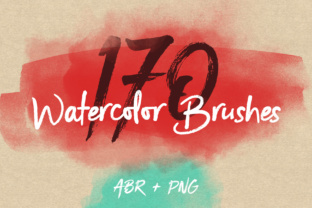
To get the most out of this resource, it is helpful to understand the structure of the download. You receive 100 PNG files and 2 ABR files. The ABR files are the actual brushes that install directly into Photoshop, while the PNGs serve as standalone assets. Here is how different users might approach this:
- The Purist Painter: This user will primarily install the ABR files. They will configure their tablet pressure settings to control opacity and flow, using the brush dynamics to simulate the pressure of a real hand. They value the 25 different designs because it prevents repetition in long painting sessions.
- The Collage Artist: This user might ignore the ABR files initially and focus on the 100 PNGs. They can layer these images in Photoshop, using blending modes like "Multiply" or "Overlay" to integrate the watercolour textures with photographs or vector shapes. The four color variations provide immediate tonal options without needing to adjust hue/saturation layers manually.
- The Hybrid Worker: Many professionals use both. They might paint a base layer using the Watercolour Paint Photoshop Brushes and then stamp specific PNG accents to add highlights or specific textural focal points that require perfect placement.
Technical Considerations and Recommendations
When working with high-resolution assets, performance can sometimes be a concern. Because these brushes are "sized pretty big," they contain a lot of data. On older computers, using a very large brush diameter might cause a slight lag in stroke rendering. It is recommended to test the brushes on a new document at your intended output resolution before starting a major project.
Additionally, consider the color mode of your project. While the PNGs come in four colors, digital watercolour shines when you utilize the transparency of the brush tips. Experiment with layering complementary colors. For instance, laying a cool blue stroke over a warm yellow wash can create a vibrant green that retains the texture of both underlying layers. This interaction is what makes Watercolour Paint Photoshop Brushes superior to standard opaque digital brushes.
For users on the CS versions limited to 2500 px, a useful workaround for larger projects is to treat the brush strokes as modular components. Instead of trying to make one continuous giant stroke, build your large shapes using multiple overlapping stamps of the 2500 px limit. This can actually add to the realism, as traditional watercolour paintings are often built up in sections anyway.
Conclusion: Elevating Your Digital Toolkit
Ultimately, the value of this set lies in its ability to bridge the gap between technical precision and artistic expression. By providing a huge variety of strokes and ready-to-use PNG assets, it removes the friction from the creative process. You no longer need to struggle with creating realistic textures from scratch or worrying about whether your software version supports the tools you need.
Whether you are looking to soften a harsh digital illustration, add a touch of elegance to a design project, or simply explore the medium of digital painting, these Watercolour Paint Photoshop Brushes offer a robust, flexible, and high-quality solution. The combination of versatile brush engines and a extensive library of pre-made elements ensures that you have everything required to produce professional, emotive, and visually stunning work. Embrace the fluidity of watercolour in the digital realm and let these tools handle the texture while you focus on the art.