Bringing Hand-Painted Texture to Digital Projects with a Photoshop Brushes Watercolour Set
Digital art often struggles with one specific problem: it looks too clean. When you are working on a screen, lines are perfect, colors are flat, and everything feels slightly sterile. This is where a robust Photoshop Brushes Watercolour Set changes the game. It isn't just about having another tool in your toolbar; it is about injecting the organic unpredictability of traditional media into your digital workflow without the mess of actual paint and water.
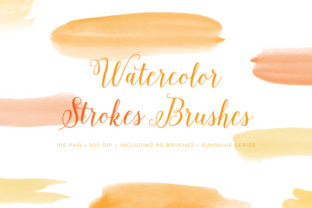
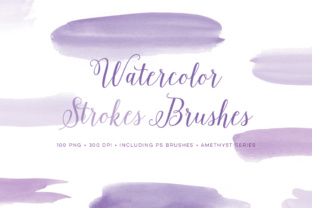
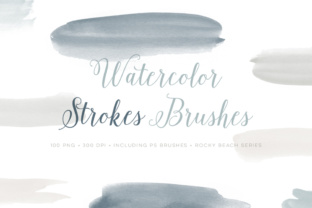
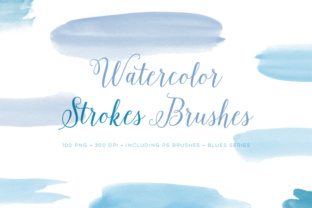
The set we are looking at here is particularly substantial. It includes 25 different paint stroke designs that are sized quite large, allowing for broad, expressive marks rather than tiny, pixelated dots. As a significant bonus, it comes with a huge set of 100 PNG images featuring those same 25 different paint strokes rendered in four distinct colors. The download package contains two ABR files to ensure compatibility across different versions of the software, including both CC and older CS versions, though CS users should note a maximum size limit of 2500 pixels. For most screen-based projects, this resolution is more than sufficient, but it is a detail worth keeping in mind if you are planning massive print runs.
Why Freelancers and Small Business Owners Need Organic Textures
If you run a small business or work as a freelance marketer, you know the pressure to stand out. Social media feeds are flooded with polished, corporate graphics that all look the same. Using a Photoshop Brushes Watercolour Set allows you to break that monotony. Imagine creating an Instagram story background for a local bakery. Instead of a solid pastel block, you use one of the 25 large stroke designs to create a soft, bleeding edge that feels handmade. This subtle shift signals to the customer that the brand is approachable, artisanal, and human.
Entrepreneurs often use these tools for branding packages. A logo mark that incorporates a watercolour splash can feel more unique than a vector shape. Because this set includes 100 pre-rendered PNGs in four colors, you don't always need to open Photoshop to apply the effect. You can drag and drop these high-quality textures directly into Canva or other design platforms if you are in a rush. This flexibility is crucial when you are juggling client deadlines and need to iterate quickly.
Practical Applications for Educators and Content Creators
Educators and bloggers face a different challenge: engagement. Dry text and standard clipart can make learning materials or blog posts feel dull. By integrating watercolour elements, you create a visual warmth that keeps readers scrolling. For instance, a teacher creating a digital worksheet for young students can use the large brush strokes to frame questions or highlight key vocabulary. The soft edges of watercolour are less aggressive than sharp geometric shapes, making the material feel friendlier.
Bloggers can use the 25 different stroke designs to create custom dividers between sections of an article. Instead of a standard horizontal line, a sweeping wash of color adds personality to the layout. Since the brushes are available for both CC and CS versions, educators using school computers—which often run older software—can still access these resources. The limitation of 2500 pixels in CS versions rarely impacts web graphics, ensuring that the quality remains high for online publications.
Maximizing the Bonus PNG Files for Rapid Workflow
One of the most underrated features of this specific collection is the inclusion of 100 PNG files. Many designers buy brush sets only to realize they don't have the time to stamp, rotate, and color-correct every single stroke manually. Having 25 designs already rendered in four different colors saves hours of prep work.
Consider a scenario where you are designing a wedding invitation suite. You need consistent floral or abstract accents across save-the-dates, menus, and programs. With the PNG set, you can instantly test how a blue stroke looks against a cream background versus how a warm terracotta stroke looks. You aren't bogged down by the technical process of painting the stroke; you are focused on the composition. This is especially helpful for hobbyists who may not have advanced masking skills but still want professional-looking results.
- Speed: Drag-and-drop functionality for quick mockups.
- Variety: Four color variations per stroke offer immediate palette options.
- Compatibility: PNGs work in almost any image editing or presentation software.
- Consistency: Ensure the same texture appears identical across different marketing materials.
Technical Considerations Before You Download
Before you integrate this Photoshop Brushes Watercolour Set into your daily routine, there are a few practical things to consider regarding your specific setup. First, check your software version. If you are running a very old version of Photoshop CS, remember that the brush dynamics might be limited compared to the CC version. Specifically, the maximum size cap of 2500 pixels in CS versions means you cannot scale these brushes up indefinitely without losing quality. For standard web graphics, social media posts, and even most print flyers, this is perfectly fine. However, if you are designing a billboard or a large-format trade show banner, you will want to rely on the included PNG files and scale them carefully, or use the CC version where possible.
Another factor is file management. With two ABR files and 100 PNGs, organization is key. It is easy to download a "huge set" and never find the specific brush you need again. Take ten minutes after downloading to create a folder structure. Separate the ABR files into your Photoshop presets folder and organize the PNGs by color or stroke type. This upfront effort pays off when you are in the middle of a creative flow and need a specific texture immediately.
Enhancing Personal Projects and Hobbyist Art
For hobbyists and everyday users, digital art can sometimes feel intimidating. The interface of professional software is complex, and the expectation to create "perfect" art can be paralyzing. Watercolour brushes are forgiving. They blend, they bleed, and they hide mistakes better than hard-edged pencils. Using a set with 25 different stroke designs encourages experimentation. You can try layering a light wash over a dark stroke to see how the colors interact digitally.
These tools are also excellent for digital journaling or scrapbooking. Many people use tablets to document their travels or daily lives. Adding a watercolour border to a photo or using a textured brush to write a header makes the digital journal feel tactile and personal. The variety in this set ensures that your pages don't look repetitive. You can use a rough, dry stroke for a rugged travel theme and a soft, wet wash for a calm, reflective entry.
- Assess your project scale: Determine if you need vector scalability or if raster (pixel-based) watercolour textures suit your needs.
- Check your resolution requirements: Ensure the 2500px limit in CS versions doesn't hinder your specific print goals.
- Explore the PNGs first: See if the pre-made images solve your problem before spending time learning the brush dynamics.
- Experiment with blending modes: Try setting the brush layer to "Multiply" or "Overlay" to see how the watercolour interacts with underlying photos.
Ultimately, whether you are a marketer trying to humanize a brand, a teacher making lessons engaging, or an artist exploring digital mediums, the right tools bridge the gap between idea and execution. A comprehensive Photoshop Brushes Watercolour Set offers that bridge by providing the aesthetic charm of traditional painting with the efficiency of digital technology. The combination of versatile brushes and ready-to-use PNGs ensures that regardless of your skill level or time constraints, you can add depth and character to your work immediately.