Unlocking Creative Potential: A Deep Dive into Alphabet Photoshop Brushes and Bonus Orange Clipart
In the vast ecosystem of digital design, few tools offer as much immediate impact and versatility as custom brush sets. For graphic designers, scrapbookers, educators, and hobbyists alike, the ability to infuse a project with a hand-painted aesthetic without needing traditional art supplies is a game-changer. Specifically, Alphabet Photoshop Brushes paired with high-quality clipart have revolutionized how we approach branding, card making, and personal creative projects. This article explores the significance of these tools, focusing on a comprehensive set that includes a full alphabet in four colors and a special bonus collection featuring 104 PNG files in a vibrant "Sunshine" palette.
The Evolution of Digital Typography and Hand-Painted Text
Traditionally, adding a hand-painted touch to a digital document required significant skill with a graphics tablet or the tedious process of scanning physical artwork. Today, Alphabet Brushes for Photoshop bridge the gap between analog warmth and digital precision. These tools allow users to stamp pre-designed, textured letters onto a canvas, creating the illusion of hand-lettering in seconds.
The purpose of such tools extends beyond mere convenience. In modern branding and marketing, authenticity is currency. Consumers often respond better to designs that feel organic and human rather than sterile and perfectly vectorized. By utilizing a big set of alphabet brushes, creators can inject personality into logos, social media graphics, and product packaging. Whether you are designing a rustic wedding invitation or a bold streetwear logo, the texture provided by these brushes adds depth that standard fonts simply cannot replicate.
Understanding the Core Product: The Alphabet Brush Set
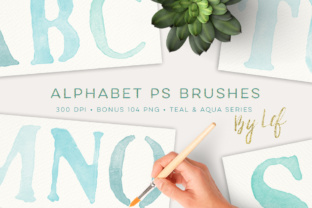
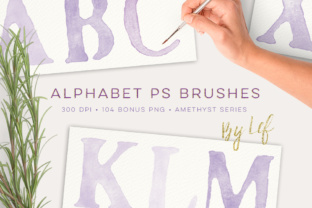
At the heart of this creative suite is a robust .ABR brush file containing every letter of the alphabet. Unlike standard fonts that rely on mathematical curves, these brushes are raster-based, meaning they carry pixel data that simulates paint strokes, ink bleeds, or chalk dust.
Key technical specifications make this set particularly valuable for professional use:
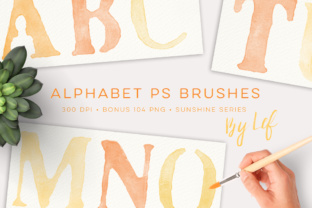
- High Resolution: Each letter stands around 1000 pixels tall at 300 DPI (Dots Per Inch). This resolution is critical for print materials, ensuring that cards, posters, and brochures remain crisp and clear without pixelation.
- Versatile Color Options: The main set includes the full alphabet in four distinct colors. This variety allows designers to experiment with contrast and mood immediately upon installation.
- Compatibility: These brushes are engineered for broad accessibility. They are fully compatible with Adobe Photoshop CS2 and upwards, as well as PS 7.0 and later versions. Because the brush tips are optimized to be below 2500 pixels, they likely function on even older iterations of the software, although testing on very legacy systems may vary.
The Value of the Bonus Orange Clipart and Sunshine Palette
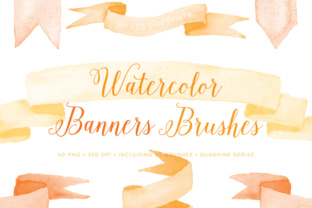
While the alphabet brushes provide the structural backbone for text-based designs, the included Bonus Orange Clipart set offers the decorative flair necessary to complete a composition. This bonus collection consists of 104 PNG files, also rendered at 300 DPI. PNG (Portable Network Graphics) is the preferred format for digital assets because it supports transparency. This means users can overlay these clipart elements onto any background color or image without unsightly white boxes surrounding the graphics.
This specific bonus set features a "Sunshine" palette, characterized by warm, energetic hues of orange and yellow. In color psychology, these tones evoke feelings of happiness, creativity, and optimism. They are particularly effective for:
- Seasonal Projects: Perfect for autumn-themed scrapbooking, Thanksgiving cards, or summer sale announcements.
- Branding for Youth Markets: Bright, sunny colors often appeal to younger demographics and industries related to food, education, and entertainment.
- Highlighting Key Information: Use the orange elements to draw the eye to specific parts of a layout, such as a discount code or a call-to-action button.
It is important to note that while the Sunshine palette is the featured bonus, design needs vary. If a project requires a cooler tone or a monochromatic scheme, similar sets in different colorways are often available in the creator's shop. This modularity allows designers to build a library of assets that can adapt to any client brief or personal vision.
Practical Applications in Modern Workflows
How do these tools fit into daily activities across various sectors? The utility of Alphabet Brushes and Bonus Clipart spans several domains:
1. Small Business Branding
Entrepreneurs often lack the budget for custom illustration. With this toolset, a bakery owner can create a menu board that looks hand-chalked, or a boutique seller can design unique thank-you cards for their packages. The combination of textured letters and sunny clipart creates a cohesive brand identity that feels artisanal and cared for.
2. Education and Teaching Resources
Educators constantly seek engaging visuals for worksheets, classroom decorations, and presentation slides. Using large, clear alphabet brushes helps in teaching phonics or creating colorful headers for lesson plans. The 300 DPI resolution ensures that printed handouts look professional, while the PNG clipart can be easily dragged and dropped into PowerPoint or Google Slides.
3. Scrapbooking and Memory Keeping
Digital scrapbooking has surged in popularity as a way to preserve memories without the physical clutter. These brushes allow users to title photo layouts with a personalized touch. The "hand-painted" look mimics the traditional craft of journaling, adding emotional weight to digital albums.
Technical Insights: Installation and Usage
For beginners, the prospect of installing custom brushes might seem daunting, but the process is straightforward. Upon download, users receive a ZIP file. Inside, you will find the aforementioned .ABR file and the folder of 104 PNGs.
To install the brushes:
- Open Adobe Photoshop.
- Navigate to the "Brushes" panel (usually found under Window > Brushes).
- Click the menu icon in the top right corner of the panel and select "Import Brushes."
- Locate the .ABR file within your extracted ZIP folder and click "Load."
Once loaded, the alphabet letters will appear at the bottom of your brush list. To use them, simply select the Brush Tool, choose the desired letter, and click once on your canvas. To change the color, adjust your foreground color swatch before clicking. For the PNG clipart, these function like any other image file; they can be opened directly in Photoshop or dragged into an existing document as a new layer.
Clarifying Common Misunderstandings
A frequent point of confusion for new users is the difference between a font and a brush. A font allows you to type continuously, with kerning and spacing automatically adjusted. A brush, however, requires a individual click for each letter. While this may seem less efficient, it offers greater artistic control. You can rotate each letter individually, vary the opacity, or overlap them to create a truly custom typographic arrangement that a standard font engine cannot achieve.
Another assumption is that high-resolution brushes will slow down older computers. However, because these specific brushes are capped below 2500px, they strike a balance between quality and performance, making them suitable for a wide range of hardware configurations, from modern workstations to older laptops running PS 7.0.
Conclusion: Elevating Your Creative Toolkit
In conclusion, the integration of Alphabet Photoshop Brushes and a Bonus Orange Clipart set represents a powerful investment for anyone involved in digital creation. By providing a hand-painted aesthetic through easy-to-use digital stamps, these tools democratize high-quality design. Whether you are crafting a heartfelt greeting card, developing a brand identity, or organizing educational materials, the combination of textured typography and vibrant, transparent graphics offers endless possibilities.
The inclusion of high-DPI files ensures professional results in both print and digital media, while the broad software compatibility guarantees that these assets will remain useful regardless of your specific version of Photoshop. As the digital landscape continues to value authenticity and visual storytelling, mastering these tools allows creators to stand out, communicate more effectively, and bring a splash of sunshine to their projects. Remember, if the Sunshine palette doesn't quite match your current vision, exploring alternative color sets in the shop can further expand your creative horizon.