Evaluating Photoshop Brushes Painted Alphabet Including Teal Bonus Clipart for Creative Projects
For digital artists, graphic designers, and hobbyists looking to infuse organic texture into their work, the choice between vector typography and raster-based brush sets often defines the final aesthetic. The Photoshop Brushes Painted Alphabet Including Teal Bonus Clipart represents a specific category of resource designed to bridge the gap between clean digital lines and the imperfections of hand-painted media. This collection is not merely a font replacement; it is a texturing tool that allows users to stamp individual letterforms with varying degrees of opacity and pressure sensitivity, mimicking the look of actual paint on canvas or paper.
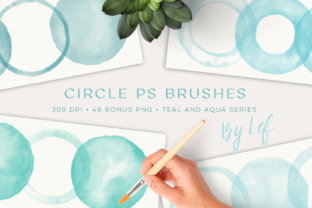
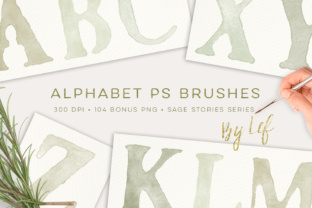
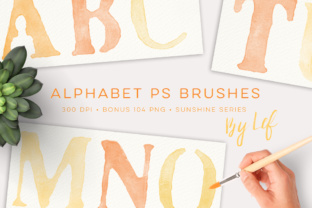
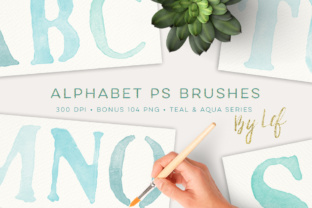
What distinguishes this particular set from generic alphabet brushes is the inclusion of a coordinated bonus asset library. While many brush packs offer only the .ABR file, this package provides a comprehensive suite including a 104 PNG bonus set featuring the full alphabet in four distinct colors within a Teal and Aqua palette. This dual-format approach—offering both dynamic brushes and static high-resolution images—provides flexibility that single-format products often lack. The brushes themselves are optimized for compatibility across a wide range of Adobe Photoshop versions, functioning effectively in CS2 and up, as well as PS 7.0 and later, provided the brush dimensions remain under the 2500px threshold inherent to older software architectures.
Comparing Brush Dynamics Versus Static PNG Assets
When evaluating resources like the Photoshop Brushes Painted Alphabet Including Teal Bonus Clipart, it is essential to understand the functional differences between the two primary components: the dynamic brush file and the static PNG images. Each serves a different workflow purpose, and recognizing these tradeoffs helps in deciding how best to utilize the download.
The primary component is the .ABR brush file. This file contains the entire alphabet mapped to brush presets. When loaded into Photoshop, these allow for real-time customization. Users can adjust the size, rotation, spacing, and color of each letter on the fly. The strength of this format lies in its adaptability; if a project requires the word "Hello" to curve along a path or vary in size for a poster effect, the brush tool is the superior choice. Furthermore, because these brushes are approximately 1000 pixels tall at 300 DPI, they offer sufficient resolution for most print applications, such as greeting cards or scrapbook layouts, without pixelation.
In contrast, the 104 PNG bonus files offer a different set of advantages. These are pre-rendered images of the alphabet in specific Teal and Aqua hues. The tradeoff here is a loss of dynamic color changing—you cannot simply click a foreground color swatch to change a PNG from teal to red. However, the benefit is consistency and immediate usability. For users who do not wish to spend time color-matching or adjusting brush dynamics, these PNGs provide a "ready-to-place" solution. They are ideal for rapid prototyping, web graphics where exact color codes are less critical than visual harmony, or for users working in software that does not support Photoshop brush files. The inclusion of four color variations per letter in the bonus set adds a layer of depth, allowing for subtle shading or highlight effects that would otherwise require manual painting.
Technical Compatibility and File Specifications
A critical factor in selecting digital assets is technical compatibility, particularly for professionals managing legacy systems or collaborating with teams using varied software versions. The Photoshop Brushes Painted Alphabet Including Teal Bonus Clipart is engineered with broad backward compatibility in mind. By ensuring the brush tips remain below 2500 pixels, the creator ensures that the .ABR file remains functional in older iterations like Photoshop 7.0 and CS2. This is a significant consideration for users who may not have subscribed to the latest Creative Cloud updates but still require high-quality texturing tools.
The delivery method is a standard ZIP archive, which simplifies organization. Inside, users will find the single .ABR file containing all letters and the folder of 104 PNGs. All assets are rendered at 300 DPI, the industry standard for professional printing. This resolution ensures that whether the output is a physical invitation or a large-format banner, the edges of the painted letters retain their crispness and texture detail. It is worth noting that while 1000 pixels in height is robust for many applications, users intending to create massive billboards or wall murals may need to upscale these assets carefully or consider vector alternatives, as raster images have hard limits on enlargement before quality degradation occurs.
Ideal Use Cases and Application Scenarios
Determining whether this specific toolset fits a project requires analyzing the intended medium and stylistic goals. The hand-painted aesthetic offered by this collection is particularly effective in industries and hobbies that value warmth and human touch over corporate sterility.
- Branding and Logo Design: For boutique businesses, cafes, or artisanal product lines, a logo created with these brushes can convey authenticity. The Teal and Aqua palette specifically suggests freshness, calm, or coastal themes, making it a strong candidate for wellness brands or summer-themed marketing campaigns.
- Scrapbooking and Digital Planning: The textured nature of the strokes mimics traditional art supplies, making these brushes perfect for digital scrapbooks where the goal is to simulate a physical album. The PNGs allow for quick layering without the need to master brush settings.
- Greeting Cards and Invitations: The 300 DPI resolution makes these assets print-ready for personal or small-batch commercial card production. The ability to mix the teal bonus clipart with custom-colored brush strokes allows for sophisticated two-tone designs.
- Social Media Graphics: In a feed dominated by polished vector graphics, a hand-painted headline can stop the scroll. The organic irregularity of the brush strokes draws the eye more effectively than perfect geometric fonts.
Limitations and When to Seek Alternatives
While the Photoshop Brushes Painted Alphabet Including Teal Bonus Clipart offers significant value, it is not a universal solution for every typography need. Understanding its limitations is just as important as recognizing its strengths.
Firstly, because these are raster-based brushes, they lack the infinite scalability of vector fonts (OTF or TTF). If a project requires resizing text frequently or outputting at extremely large dimensions beyond the 1000px source height, a vector typeface would be a more prudent choice. Secondly, the "hand-painted" style implies a certain level of inconsistency. For projects requiring strict legibility at small sizes, such as body copy in a brochure or legal disclaimers, these decorative brushes may prove difficult to read. They are best reserved for headlines, logos, and accent text.
Additionally, users seeking a vast array of color options out of the box might find the specific Teal and Aqua focus of the bonus PNGs limiting. While the .ABR file allows for any color selection, the pre-made PNGs are fixed. If a project demands a warm autumn palette or neon cyberpunk colors immediately without manual recoloring, a different asset pack with broader color diversity might be more efficient. Finally, for users who do not own Photoshop or compatible software like Affinity Photo or Procreate (with brush import capabilities), the .ABR file will be unusable, leaving them reliant solely on the PNG images.
Making an Informed Decision
Ultimately, the decision to integrate the Photoshop Brushes Painted Alphabet Including Teal Bonus Clipart into your workflow depends on the balance between flexibility and convenience you require. If your priority is speed and you resonate with the cool tones of teal and aqua, the bonus PNG set offers an unparalleled shortcut. If, however, your work demands custom color matching and dynamic composition, the .ABR brush file provides the necessary control.
This resource stands out by offering both modalities in a single download, catering to both the meticulous designer who tweaks every pixel and the content creator who needs to publish quickly. By verifying that your software version supports the file specifications and ensuring the aesthetic aligns with your brand's voice, you can effectively leverage these tools to add a genuine, handcrafted dimension to your digital creations. For those interested in expanding their toolkit further, exploring matching graphics and additional brush sets in the same shop can ensure a cohesive visual language across all project elements.